Hi all, this has probably been discovered and publisised already...but oh well!
Right, ever since I got the AS Typhoon, I've wanted a clean(er) Single Seat RAF aircraft, so last night I set about working out how to do it.
Method:
Step 1: Back up EVERYTHING!
Step 2: Find a repaint you want, my example is a 3Sqn example.
Step 3: Add repaint like normal, but make some minor alterations:
Original
[fltsim.X]
title=ALPHA 3Sqn Single Seater Loaded
sim=EFT v2 tanks
model=ConningSingleLoad
panel=
sound=
texture=3Sqn
New Version
[fltsim.X]
title=ALPHA 3Sqn Single Seater Loaded
sim=EFT v2 bombs tanks
model=SpainSingle
panel=
sound=
texture=3Sqn
Those are the changes you need to make to the Fltsim entry.
Next, here is the slow bit.
Step 4: In the repaint's texture folder (eg. texture.3sqn) there will be lots of BMP files. You need to find all of the files that begin EF_Coninsby now, you need to rename all of the EF_Coningsby files to EF_Spain INDIVIDUALY!
Dont rename any others than EF_Coningsby, or thye repaint wont work, and you need to start again.
Step 5: Back up your repaint texture folder (eg. texture.3sqn)
Step 6: Now, find the folder labled Texture, it should be in the main Alpha EFA Typhoon folder.
Locate all of the files that begin EF_GEN, now COPY these files. Paste them into your repaint folder (texture.3sqn). I overwrote all of the files and it was a success, but if you aren't certain, then don't over write. Remember, you should have a copy of the original files anyway, so you can always replace them.
That should do it!
Minor problems: The Pylon holding the tank is in a different shade of grey to the rest of the aircraft, but it's barely noticable. The same applies to the cover of the AA Refueling probe, again, barely noticable! The different grey is the German Typhoon grey.
Hope this was helpful!

- Board index
- Register
- Forum
- Information
- FAQ
- Rules
- The team
- Who is online
- Tools
- Delete all board cookies

- Login

Iconic Aircraft Aviation Forum
For the Appreciation of the World's Finest Aeroplanes
My Alphasim Typhoon Breakthrough!
38 posts
• Page 1 of 2 • 1, 2
My Alphasim Typhoon Breakthrough!
 by Fat Badger » Mon Dec 07, 2009 6:02 pm
-

Fat Badger - Lockheed F-104 Starfighter

- Posts: 260
- Joined: Mon Nov 02, 2009 5:44 pm
- Location: My Sett
- Also Known As: Eurasian badger
Re: My Alphasim Typhoon Breakthrough!
by Xplumberlives » Mon Dec 07, 2009 6:13 pm
Pictures please!
"All modern aircraft have 4 dimensions: span, length, height and politics.
TSR-2 simply got the first 3 right. ”
— Sir Sydney Camm
TSR-2 simply got the first 3 right. ”
— Sir Sydney Camm
-

Xplumberlives - Boeing B-17 Flying Fortress

- Posts: 41162
- Joined: Wed Oct 01, 2008 9:27 pm
- Location: Close to a former Harrier Airfield
- Also Known As: ROCKETMAN
Re: My Alphasim Typhoon Breakthrough!
by Fat Badger » Wed Dec 09, 2009 5:25 pm
Picture will be posted tomorrow.
-
Fat Badger - Lockheed F-104 Starfighter
- Posts: 260
- Joined: Mon Nov 02, 2009 5:44 pm
- Location: My Sett
- Also Known As: Eurasian badger
Re: My Alphasim Typhoon Breakthrough!
by Xplumberlives » Wed Dec 09, 2009 5:30 pm
Good chap!
"All modern aircraft have 4 dimensions: span, length, height and politics.
TSR-2 simply got the first 3 right. ”
— Sir Sydney Camm
TSR-2 simply got the first 3 right. ”
— Sir Sydney Camm
-
Xplumberlives - Boeing B-17 Flying Fortress
- Posts: 41162
- Joined: Wed Oct 01, 2008 9:27 pm
- Location: Close to a former Harrier Airfield
- Also Known As: ROCKETMAN
Re: My Alphasim Typhoon Breakthrough!
by Fat Badger » Wed Dec 09, 2009 5:31 pm
Yeah, sorry, I've been busy trying it with other paints. And it's pain using PB to post pics.... 
But I will have some 29 (hopefully), 3 and 11 shots!
But I will have some 29 (hopefully), 3 and 11 shots!
-
Fat Badger - Lockheed F-104 Starfighter
- Posts: 260
- Joined: Mon Nov 02, 2009 5:44 pm
- Location: My Sett
- Also Known As: Eurasian badger
Re: My Alphasim Typhoon Breakthrough!
by Xplumberlives » Wed Dec 09, 2009 5:34 pm
Looking forward to them!
"All modern aircraft have 4 dimensions: span, length, height and politics.
TSR-2 simply got the first 3 right. ”
— Sir Sydney Camm
TSR-2 simply got the first 3 right. ”
— Sir Sydney Camm
-
Xplumberlives - Boeing B-17 Flying Fortress
- Posts: 41162
- Joined: Wed Oct 01, 2008 9:27 pm
- Location: Close to a former Harrier Airfield
- Also Known As: ROCKETMAN
Re: My Alphasim Typhoon Breakthrough!
by Fat Badger » Wed Dec 09, 2009 9:00 pm
Right, here are my preliminary shots...... only these for now, will have some more later.
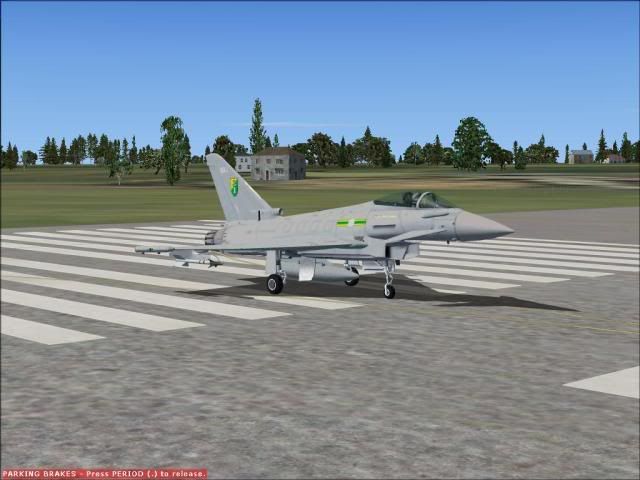
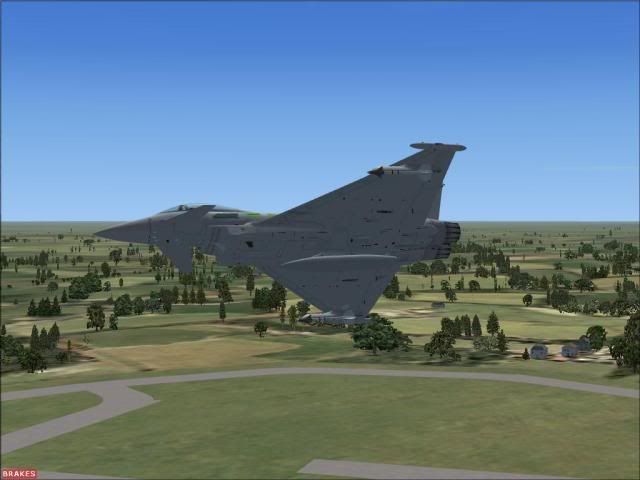
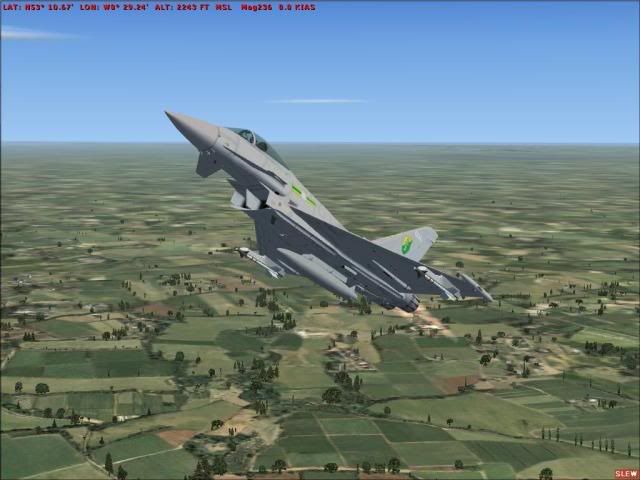
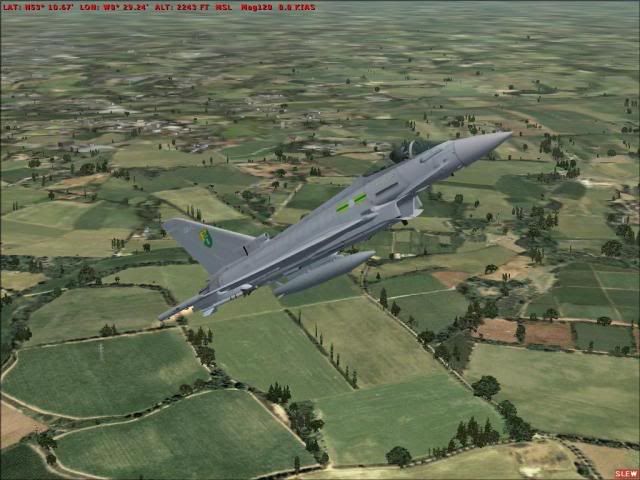
Hope you like!
Hope you like!
-
Fat Badger - Lockheed F-104 Starfighter
- Posts: 260
- Joined: Mon Nov 02, 2009 5:44 pm
- Location: My Sett
- Also Known As: Eurasian badger
Re: My Alphasim Typhoon Breakthrough!
by Xplumberlives » Wed Dec 09, 2009 9:02 pm
Very impressive!
"All modern aircraft have 4 dimensions: span, length, height and politics.
TSR-2 simply got the first 3 right. ”
— Sir Sydney Camm
TSR-2 simply got the first 3 right. ”
— Sir Sydney Camm
-
Xplumberlives - Boeing B-17 Flying Fortress
- Posts: 41162
- Joined: Wed Oct 01, 2008 9:27 pm
- Location: Close to a former Harrier Airfield
- Also Known As: ROCKETMAN
Re: My Alphasim Typhoon Breakthrough!
by Fat Badger » Wed Dec 09, 2009 9:03 pm
The shots, or my discovery?
The tiffy looks even better in 11(F) colours!
Watch this space in abbout 10 min!
The tiffy looks even better in 11(F) colours!
Watch this space in abbout 10 min!
-
Fat Badger - Lockheed F-104 Starfighter
- Posts: 260
- Joined: Mon Nov 02, 2009 5:44 pm
- Location: My Sett
- Also Known As: Eurasian badger
Re: My Alphasim Typhoon Breakthrough!
by Xplumberlives » Wed Dec 09, 2009 9:05 pm
watching out!
"All modern aircraft have 4 dimensions: span, length, height and politics.
TSR-2 simply got the first 3 right. ”
— Sir Sydney Camm
TSR-2 simply got the first 3 right. ”
— Sir Sydney Camm
-
Xplumberlives - Boeing B-17 Flying Fortress
- Posts: 41162
- Joined: Wed Oct 01, 2008 9:27 pm
- Location: Close to a former Harrier Airfield
- Also Known As: ROCKETMAN
Re: My Alphasim Typhoon Breakthrough!
by Mackrick » Wed Dec 09, 2009 9:20 pm
Times up Jetwash 
Duc, sequere, aut de via decede
-

Mackrick - Moderator

- Posts: 9429
- Joined: Mon Oct 13, 2008 7:36 pm
- Location: Doncaster South Yorkshire
Re: My Alphasim Typhoon Breakthrough!
by Fat Badger » Wed Dec 09, 2009 9:41 pm
Sorry....I had to make pastry....lol...
Here are some 11(F) Squadron shots.....taken at Fighter Town Austria!
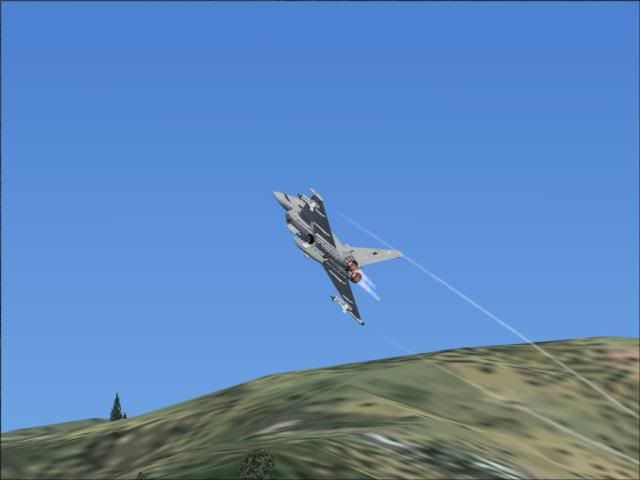
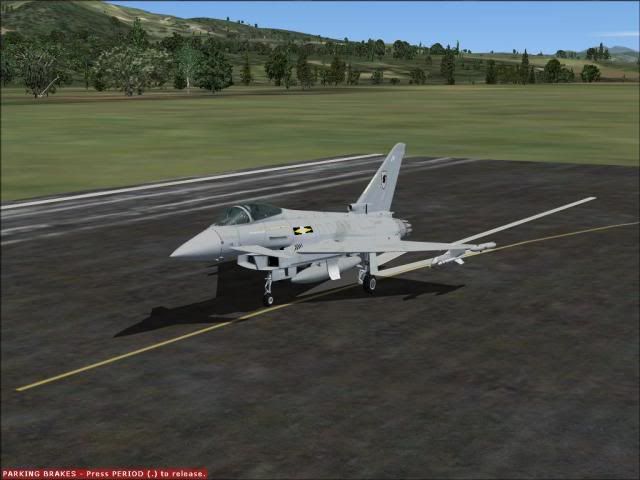
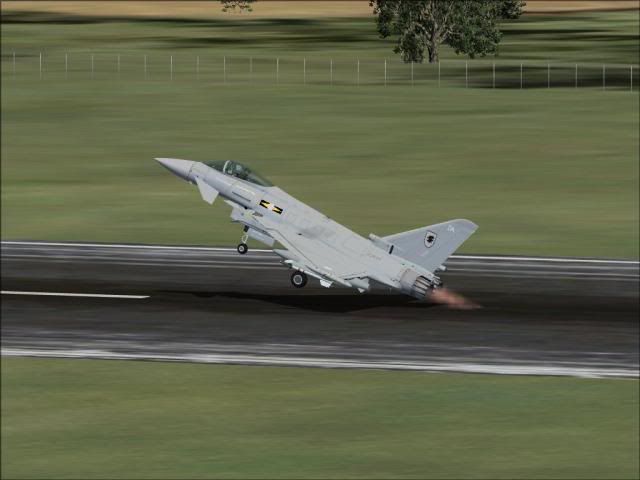
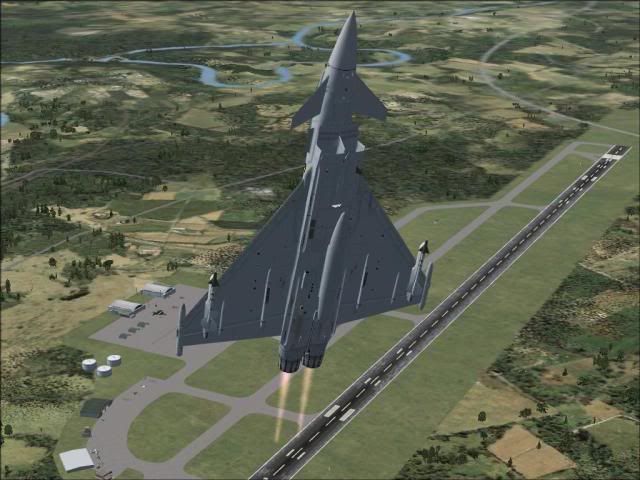
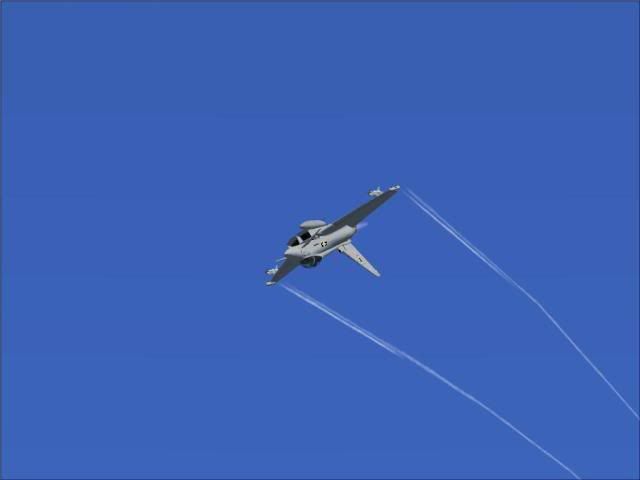
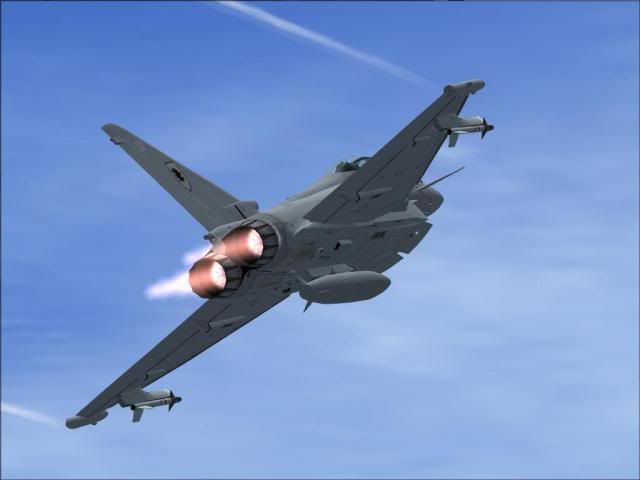
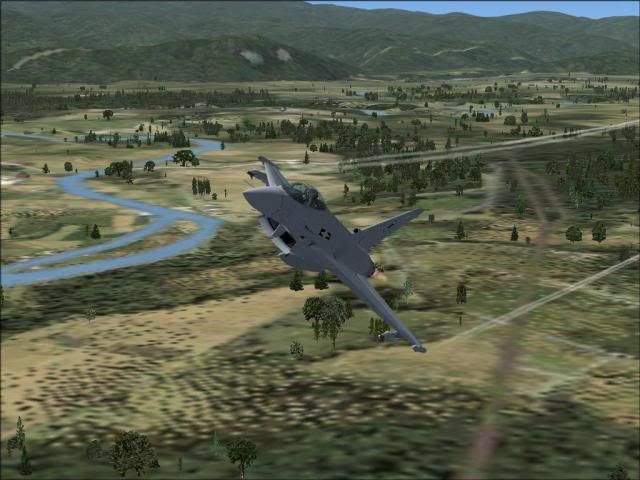
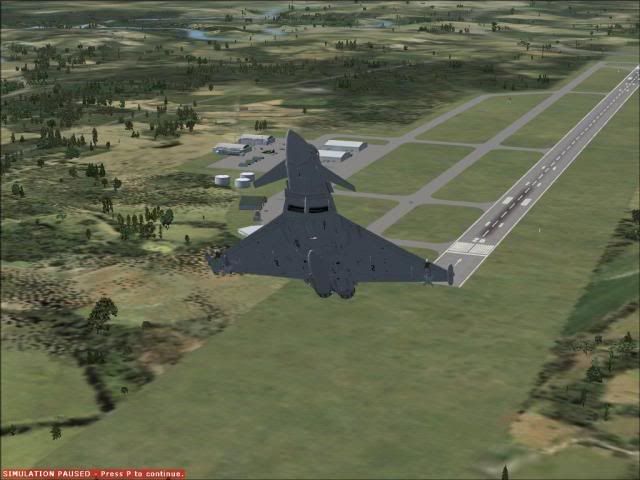
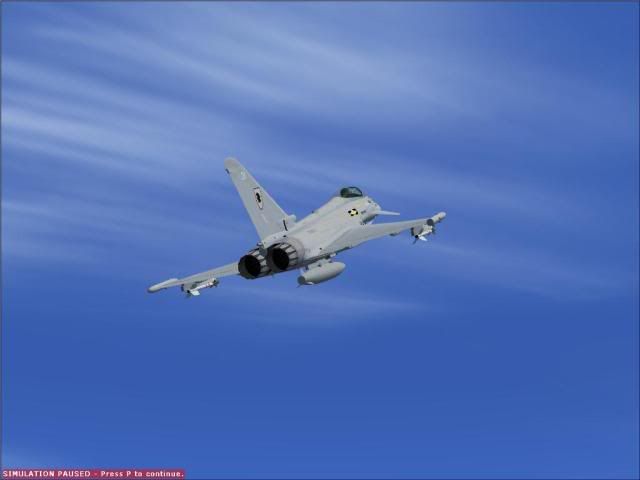
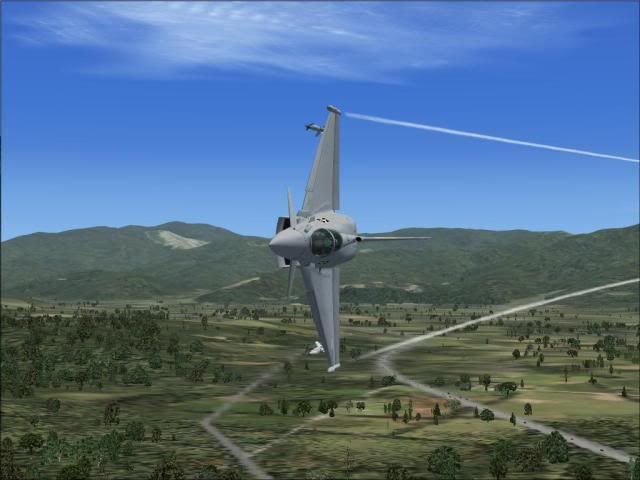
Sorry for the amount of shots!
Here are some 11(F) Squadron shots.....taken at Fighter Town Austria!
Sorry for the amount of shots!
-
Fat Badger - Lockheed F-104 Starfighter
- Posts: 260
- Joined: Mon Nov 02, 2009 5:44 pm
- Location: My Sett
- Also Known As: Eurasian badger
Re: My Alphasim Typhoon Breakthrough!
by Jigsaw » Wed Dec 09, 2009 9:45 pm
 impressed. Nice job mate
Kev
-

Jigsaw - Boeing 747

- Posts: 6456
- Joined: Thu Feb 05, 2009 1:58 pm
- Location: Scunthorpe
- Also Known As: photo_lincs
Re: My Alphasim Typhoon Breakthrough!
by Mackrick » Wed Dec 09, 2009 9:47 pm
okay suitably impressed.....
Duc, sequere, aut de via decede
-
Mackrick - Moderator
- Posts: 9429
- Joined: Mon Oct 13, 2008 7:36 pm
- Location: Doncaster South Yorkshire
Re: My Alphasim Typhoon Breakthrough!
by Fat Badger » Wed Dec 09, 2009 9:48 pm
Mackrick wrote:okay suitably impressed.....
See....it was worth the wait!
-
Fat Badger - Lockheed F-104 Starfighter
- Posts: 260
- Joined: Mon Nov 02, 2009 5:44 pm
- Location: My Sett
- Also Known As: Eurasian badger
Re: My Alphasim Typhoon Breakthrough!
by Xplumberlives » Wed Dec 09, 2009 9:49 pm
Indeed!
"All modern aircraft have 4 dimensions: span, length, height and politics.
TSR-2 simply got the first 3 right. ”
— Sir Sydney Camm
TSR-2 simply got the first 3 right. ”
— Sir Sydney Camm
-
Xplumberlives - Boeing B-17 Flying Fortress
- Posts: 41162
- Joined: Wed Oct 01, 2008 9:27 pm
- Location: Close to a former Harrier Airfield
- Also Known As: ROCKETMAN
Re: My Alphasim Typhoon Breakthrough!
by Fat Badger » Wed Dec 09, 2009 9:51 pm
IMO The last shot is the pic of the bunch...
-
Fat Badger - Lockheed F-104 Starfighter
- Posts: 260
- Joined: Mon Nov 02, 2009 5:44 pm
- Location: My Sett
- Also Known As: Eurasian badger
Re: My Alphasim Typhoon Breakthrough!
by Xplumberlives » Wed Dec 09, 2009 9:53 pm
This is my favourite!
"All modern aircraft have 4 dimensions: span, length, height and politics.
TSR-2 simply got the first 3 right. ”
— Sir Sydney Camm
TSR-2 simply got the first 3 right. ”
— Sir Sydney Camm
-
Xplumberlives - Boeing B-17 Flying Fortress
- Posts: 41162
- Joined: Wed Oct 01, 2008 9:27 pm
- Location: Close to a former Harrier Airfield
- Also Known As: ROCKETMAN
Re: My Alphasim Typhoon Breakthrough!
by Fat Badger » Wed Dec 09, 2009 10:26 pm
I was liking that shot too....hmmm.
I'm now working on a 29(R) example. I found the problem with my system....it takes ages to rename all the files!
Only one for now from the 29(R) example for now.
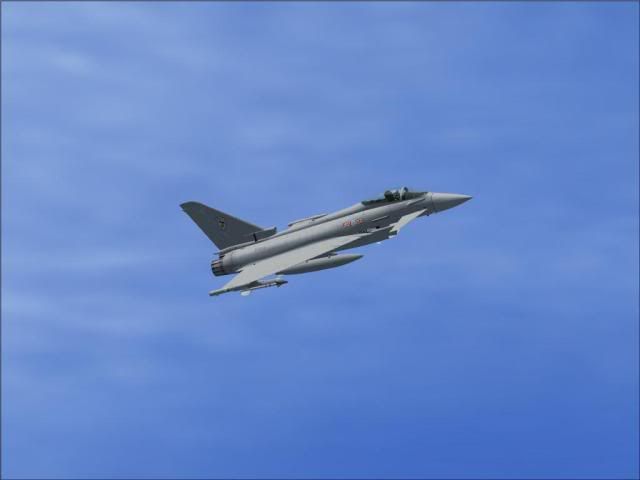
I'm now working on a 29(R) example. I found the problem with my system....it takes ages to rename all the files!
Only one for now from the 29(R) example for now.
-
Fat Badger - Lockheed F-104 Starfighter
- Posts: 260
- Joined: Mon Nov 02, 2009 5:44 pm
- Location: My Sett
- Also Known As: Eurasian badger
Re: My Alphasim Typhoon Breakthrough!
by Xplumberlives » Wed Dec 09, 2009 10:29 pm
Very good, I have similar shots taken at Coningsby earlier this year!
"All modern aircraft have 4 dimensions: span, length, height and politics.
TSR-2 simply got the first 3 right. ”
— Sir Sydney Camm
TSR-2 simply got the first 3 right. ”
— Sir Sydney Camm
-
Xplumberlives - Boeing B-17 Flying Fortress
- Posts: 41162
- Joined: Wed Oct 01, 2008 9:27 pm
- Location: Close to a former Harrier Airfield
- Also Known As: ROCKETMAN
-
Fat Badger - Lockheed F-104 Starfighter
- Posts: 260
- Joined: Mon Nov 02, 2009 5:44 pm
- Location: My Sett
- Also Known As: Eurasian badger
Re: My Alphasim Typhoon Breakthrough!
by Xplumberlives » Wed Dec 09, 2009 10:51 pm
Here you go;


"All modern aircraft have 4 dimensions: span, length, height and politics.
TSR-2 simply got the first 3 right. ”
— Sir Sydney Camm
TSR-2 simply got the first 3 right. ”
— Sir Sydney Camm
-
Xplumberlives - Boeing B-17 Flying Fortress
- Posts: 41162
- Joined: Wed Oct 01, 2008 9:27 pm
- Location: Close to a former Harrier Airfield
- Also Known As: ROCKETMAN
Re: My Alphasim Typhoon Breakthrough!
by Fat Badger » Wed Dec 09, 2009 10:52 pm
Cheers...that last one is labled...
CHICKEN SHOT!
CHICKEN SHOT!
-
Fat Badger - Lockheed F-104 Starfighter
- Posts: 260
- Joined: Mon Nov 02, 2009 5:44 pm
- Location: My Sett
- Also Known As: Eurasian badger
Re: My Alphasim Typhoon Breakthrough!
by Xplumberlives » Wed Dec 09, 2009 10:58 pm
Jetwash wrote:Cheers...that last one is labled...
CHICKEN SHOT!
They are only 25 feet above you as they land!
Hence chicken shot!
"All modern aircraft have 4 dimensions: span, length, height and politics.
TSR-2 simply got the first 3 right. ”
— Sir Sydney Camm
TSR-2 simply got the first 3 right. ”
— Sir Sydney Camm
-
Xplumberlives - Boeing B-17 Flying Fortress
- Posts: 41162
- Joined: Wed Oct 01, 2008 9:27 pm
- Location: Close to a former Harrier Airfield
- Also Known As: ROCKETMAN
Re: My Alphasim Typhoon Breakthrough!
by Fat Badger » Thu Dec 10, 2009 6:13 pm
Might do some more shots...any idea's about paints/load outs, including 2 seaters.....?
-
Fat Badger - Lockheed F-104 Starfighter
- Posts: 260
- Joined: Mon Nov 02, 2009 5:44 pm
- Location: My Sett
- Also Known As: Eurasian badger
38 posts
• Page 1 of 2 • 1, 2
Who is online
Users browsing this forum: No registered users and 29 guests


Content & Design © WedgySoft
Powered by phpBB® Forum Software © phpBB Group
Glacier v3.0.4 - Design by Ika © 2009 ShadowFlames Development - Modified & Upgraded to v3.0.14 by WedgySoft
83,680,100 Views
Time : 0.695s | 16 Queries | GZIP : Off
Powered by phpBB® Forum Software © phpBB Group
Glacier v3.0.4 - Design by Ika © 2009 ShadowFlames Development - Modified & Upgraded to v3.0.14 by WedgySoft
83,680,100 Views
Time : 0.695s | 16 Queries | GZIP : Off